I wanted to move away from Tailscale but found Headscale a bit too convoluted for what I actually needed.
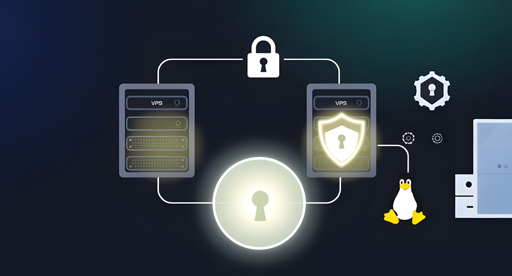
Ended up with a simple WireGuard setup using two VPSes: one as a VPN hub, the other acting as a reverse proxy back into my home lab.
It lets me expose services publicly without any inbound port forwarding on my home connection.
It’s not clear to my why you absolutely don’t wan’t to expose your home port.
From a security standpoint, you are still exposing your services to the public anyway (only the TCP stack is not, which is likely the smallest attack surface).
If you had a simpler reverse-proxy VPS, it would still hide your home server IP from clients. Your ISP would still only see encrypted traffic (https). Since you use adguard already, you can target dns-over-https upstreams to hide all DNS traffic too (eventually have a firewall rule to block outgoing dns queries if you don’t trust your application).
An excerpt from the Wireguard Whitepaper:
One design goal of WireGuard is to avoid storing any state prior to authentication and to not send any responses to unauthenticated packets. With no state stored for unauthenticated packets, and with no response generated, WireGuard is invisible to illegitimate peers and network scanners. Several classes of attacks are avoided by not allowing unauthenticated packets to influence any state.
After opening an SSH port and watching the number of attacks I understand the concern about opening any port on a router, but it seems the worry about opening a port for WG is way overblown.
As of now I can find zero reports of a properly configured open WG port ever being successfully used by attackers to access a network.
Anyone have better/more recent info?
Might want to have a look at your mobile site, it seems to cut stuff off on Firefox for Android.

Thank you for the heads up, turns out it was the custom html code in the code blocks causing the issue. Fixed now.
None of this is especially complicated
It is for an absolute noob like me… i need vacation so i can start learning all this networking jargon.
Thank you for sharing though!
What did you not like about Headscale? I started using it recently and it seems fine so far. Works identically to Tailscale.
It’s not that I didn’t like it, I just wanted to back to basics! A simple config file on each machine, job done
https://github.com/wg-easy/wg-easy
Needs like 100MB RAM to run, so it can basically run on almost anything. If you like some extra security: Do another layer of authentication in the reverse proxy that faces the internet.
This is an interesting article, but the crux of the setup isn’t described : what is the configuration on your home server?
Creating a wireguard tunnel is pretty simple, but managing how everything is handled behind the VPN is more challenging.
The home server is an old, low-powered mini PC running Debian. It acts as the bridge between the WireGuard tunnel and my local LAN.
I’ve just finished migrating one of my AdGuard Home instances onto it today. Its role is now twofold:
Routing: It has ip_forward enabled and a bit of NAT (iptables/nftables) so that traffic arriving from the VPN can actually “hop” onto the local network to reach my other VMs and containers.
DNS: It provides ad-blocking for the tunnel. VPN clients point to this node’s internal WireGuard IP for DNS queries.
Technically, it’s just another WireGuard peer, but with AllowedIPs configured to advertise my 192.168.x.x subnet back to the hub (VPS2). This is what allows VPS1 and my mobile devices to resolve and reach home services without a single open port on my router.
I’m rusty since it’s been awhile, but I don’t understand why you need two VPSs. I have a similar setup just using one. It was mainly to get around the ISP NAT. My DNS points to the VPS, and it forwards traffic to/from my home server over the WG connection with IPtables rules.
You’re right, and for a lot of people, one VPS is the sensible choice. I actually addressed this in the post:
"VPS1 is my web-facing server. It handles the public side of things. VPS2 is the VPN hub. At first glance, that probably looks unnecessary. Strictly speaking, it is unnecessary. I could have crammed WireGuard onto VPS1 and called it done. But splitting the roles makes the whole thing cleaner.
One machine serves public traffic. The other handles VPN duties. That means fewer networking compromises, fewer chances of Docker or firewall rules becoming annoying, and a clearer separation between the public-facing stack and the private tunnel. It also means I can change one side without poking the other with a stick and hoping nothing catches fire."
Gotcha, didn’t realize it was a blog post haha. As far as my personal experience, I never have to touch it. Once I did a dist-upgrade and broke it, but fixed it with a backup.