

Oh, so I have to umount and mount again mounting first on /mnt/boot and then try to fix it?
- 1 Post
- 5 Comments
Joined 4 years ago
Cake day: January 17th, 2022
You are not logged in. If you use a Fediverse account that is able to follow users, you can follow this user.
Thanks, I managed to
chroot, now I don’t know how to fix the shit I did. I think I have to fix something in/bootbecause that’s what I’ve played with, someone told me I’m missing aninitramfsfile I think. Am I supossed to run sudo apt update initramfs and then delete all the kernel files in /boot that are previous to the linux-image-5.11.0-43 which is the one I’m using?
It’s not one of those tube white monitors, it’s an LCD one but really old and its super fucked up, maybe from the 2000s
Nope, how do I chroot and install that? I assume it involves
sudo apt install linux kernal whatever?
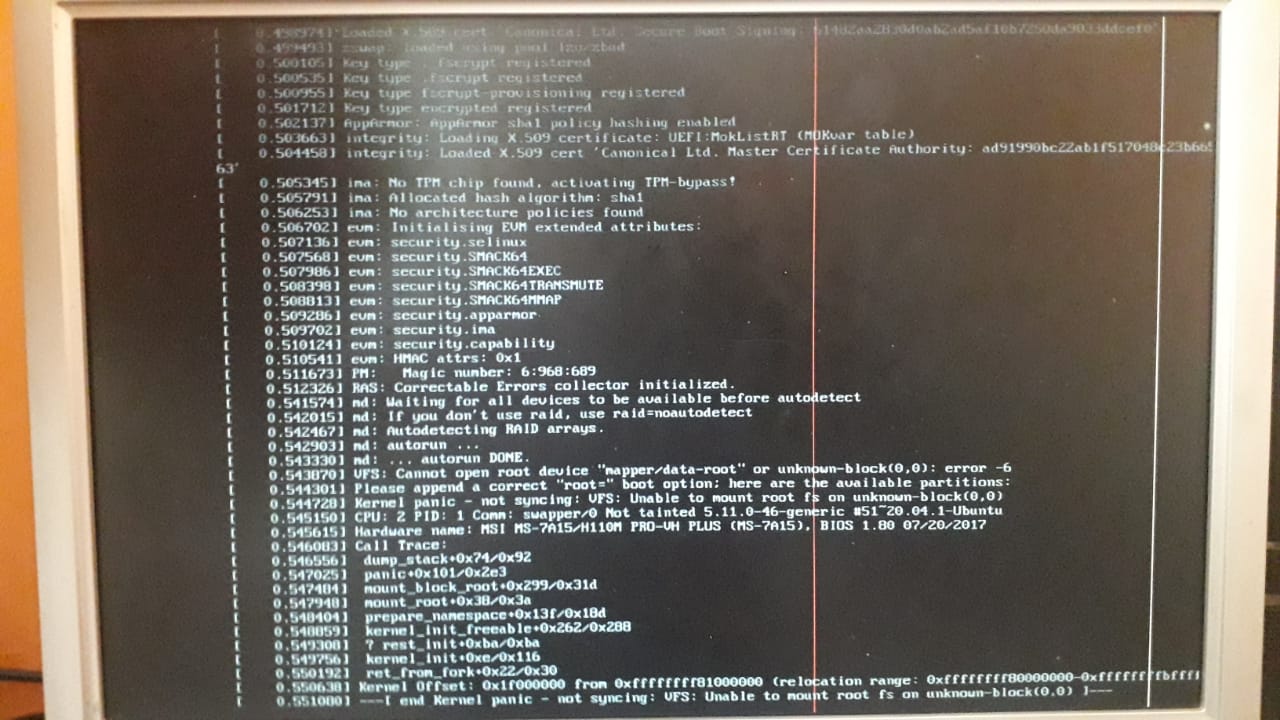
Yes, but it would imply having to move almost 1TB of files, plus having to reconfigure all my system after reinstalling, which will also take quite a lot and I get to learn a bit from here even though I’m so fucking stressed right now.