
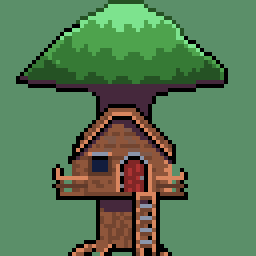
I am a career illustrator and I wanted to see if I had the chops for pixel art. I’m OK with attempt one but am happy to get CC if you got em.
Done on Libresprite Tab S6.
All made by the human brain.
You must log in or register to comment.
First of all, this is lovely for a first attempt ! However, pixel art is a very “unique” medium and there are a lot of things which will make your art look more natural.
-
Lines : it’s just like with other illustration. Except if it’s partof the style, you usually want o have clean lines. What that means for pixel art is that mlst of the time, you want your lines to have a constant ratio (eg : down 2, left 1 or right 4, up 1 etc). In your case, because you are drawing a rounded object, this may be a bit trickier. I would advise goind for sections of strictly increasing or decreasing vertical/horizontal ratios to keep your lines from feeling broken.
-
Palette. Now, once again, this depends on style, but when working with pixel art, you have a very limited resolution. And while it may be tempting to use all the colors at your disposal to render that soft apple, it often ends up muddying the shape and making it harder to read. (This isn’t so much a problem with a simple object like an apple, but it gets more troublesome when drawing more detailed works). So i would advise working with 64 colors (mayyybe 128).
Two final nitpicks : the back of the dimple on the apple seems a bit too open (?) and the bounce light feels a bit high on the apple. It feels like it should be lower and the shadows might need a bit of a deepening…
Sorry for the wall of text. It might seem like a lot of negativity, but what you are starting of with is really good. (It took me a few years of botched works to get to the okay level i am at today. You are starting off way better and i bet you are going to progress much quicker. Keep going, i’d love to see more of your work out here)
Thankyou so much, I’m an old hand at this so this kind of CC is what I crave! I look at some line work in pixel art a see how to improve. The rest will come with practice I’m sure.
Those unsmooth lines are also known as jaggies. Typically you can use a little bit of anti-aliasing to make it look smoother while also keeping the shape. I wouldn’t say jaggies are completely off limits though, just generally undesirable, but I have in rare instances seen them used in ways that look okay.
-

![[OC] My first apple.](https://lemmy.ml/api/v3/image_proxy?url=https%3A%2F%2Flemmy.ca%2Fpictrs%2Fimage%2F3571a475-e94f-4680-9fed-d776e969681d.png)